
57,000+
live TV channels
Follow a live broadcast as it happens. For sports, tell us the league, game date and local station you want to watch.

Turn the console already beside your TV into a place for live channels, movies and series. We’ll help you find a player for your Xbox and get your first channel on screen.
3 months · $20 USD total · Order on WhatsAppStart with the kind of evening you have in mind. These are service-wide catalogue figures. Ask us about a specific channel, language or season in your region before ordering.
Follow a live broadcast as it happens. For sports, tell us the league, game date and local station you want to watch.

Pick a film and start it in your own time. Send the title and release year to distinguish a remake from the original.

Plan an episode or a whole season. Ask about the exact season and the subtitle or audio language your household needs.
Original genre illustrations. Individual titles and local feeds can change.
Tell us the title or channel and your viewing region. WhatsApp opens with a draft you can edit before sending.
IPTV brings television to you through an internet connection. Your Xbox runs the player, the TV shows the picture and the controller moves between channels. A player is simply the app that opens the viewing details we provide.
Try either button to rehearse navigating a typical Xbox menu. Your console settings and the player may use a different layout.
A usually selects the highlighted item. B usually goes back.
Compare the full price for each period. Each button prepares an order for the plan shown. We confirm your console, channel needs and payment details in the conversation.
Choose this if it’s your first time using the console for television. Start by asking us to check one favorite channel or the series you have in mind.
A middle ground for a household that watches most weeks. If sport is the reason you’re joining, check the specific regional broadcast first.
The lowest cost per month across these three terms. A good fit once you know the device, player and lineup work for your routine.
Already watching? Check your current end date and request a renewal.
Someone who normally watches cable may expect every programme to start on a channel number. An IPTV player gives you a few different routes. Pick the one that fits tonight.
Looking for a particular station or edition? Send us the name before you order.
Microsoft lists entertainment apps for Xbox One and Xbox Series X|S. The exact apps shown can vary. On the console, open Microsoft Store, find Apps and look under Entertainment. Check the publisher and supported devices on the listing before installing anything.
Still using an Xbox 360, a different console, or the TV’s own remote instead? Ask us to check that exact model. Smart TVs, Fire TV devices, Android, iPhone and computers have different app stores and controls. If you’d rather start on a laptop, tell us before you choose your plan.
Match a player to your screen · Xbox’s console app guide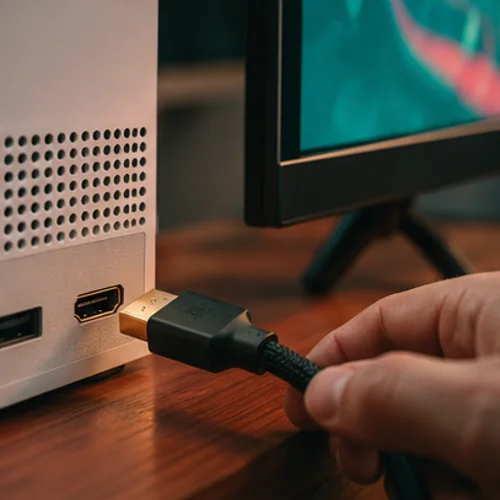
Three checks worth making from the sofa. If your screen differs from our examples, describe what you see and we can pick up from there.
Ask Couch ConsoleCouch Console is a separate viewing subscription. Your Microsoft account lets you use the console store. Keep your Microsoft sign-in private and ask us to confirm any additional player charge before you order.
Send the exact team, broadcaster, date and region, or give the show title and language. A nationwide catalogue figure cannot confirm a particular local feed, blackout, audio track or subtitle option. We check the specific request with you.
Try another live channel and then a movie. If everything pauses, pause a large game download and check the console connection. If only the one channel has trouble, note its name and the local time so support can investigate.
Choose a term and your phone or computer opens a prepared message. Review it and press Send. The seller confirms the price, device and availability with you before payment. Ask about start date, activation and renewal terms in that same conversation.
Keep your phone next to the controller for your first setup. It is easier to read our reply on the phone while the player is open on the TV.

Give us one title and your console model. We can check the fit before you commit to a term.
Find my channel or title